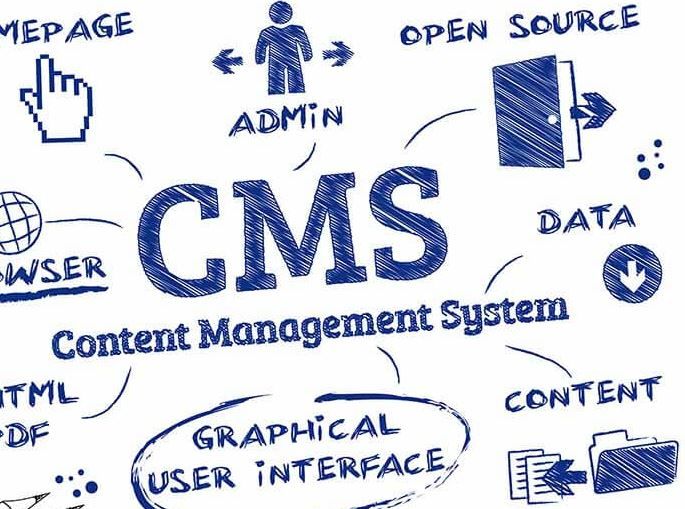
A content management system (CMS) lets you create, edit, and publish website content without touching code. If your site has a blog, case studies, job listings, or anything else that changes more than twice a year, you need one. Without a CMS, every update goes through a developer, and updates that go through a developer tend not to happen.
That is the whole argument. The rest of this post covers what a CMS actually does for you, and which platforms are worth your attention.
What does a CMS actually do?
Think of a CMS as the control room behind your website. The design stays fixed. The content flows through it. In practice, that gives you six things:
- An editing interface anyone can use. Your marketing manager updates the pricing page on a Tuesday afternoon. No ticket, no sprint, no waiting.
- Structured content. A blog post, a case study, and a team member page each have their own fields. Fill in the fields, and the design takes care of itself.
- Real-time publishing. Changes go live when you hit publish, not when a developer gets around to deploying.
- Extensibility. Plugins, integrations, and APIs connect your content to email tools, analytics, and CRMs.
- Collaboration. Multiple editors, draft states, scheduled publishing. Content work becomes teamwork instead of a bottleneck.
- SEO plumbing. Meta titles, descriptions, clean URLs, and sitemaps, managed per page instead of hardcoded.
The scale of this shift is easy to underestimate. According to the W3Techs technology tracker, WordPress alone runs roughly 40% of all websites, and sites built on some known CMS account for well over half the web. Hand-coded content pages are now the exception, not the rule.
Webflow: the CMS we build on most
We're a Webflow partner studio, so yes, we're biased. Here's why we picked it in the first place.
Most platforms separate design from content: a designer builds templates, then editors pour content into them and hope nothing breaks. Webflow collapses that gap. You design visually, Webflow writes clean production code underneath, and the CMS structure is whatever you define it to be.
What that means in practice:
- Custom content types. You define collections (say, "Case studies" with fields for client, industry, and results) instead of bending your content to fit a blog template.
- Design freedom without plugins. Layouts, animations, and interactions are built natively, so there's no plugin stack to maintain or patch.
- Hosting included. Fast managed hosting with SSL and backups, so there's no separate server to babysit.
- A safe editor mode. Content editors can change text and CMS items without being able to break the layout. Your brand survives contact with the whole team.
If you want the deeper version, we wrote a full post on how Webflow development works.
Five CMS platforms worth knowing
Different jobs, different tools. Here's the honest short list:
- Webflow. Best when design quality and marketing speed both matter: B2B sites, SaaS marketing sites, portfolios. Visual development plus a flexible CMS, with no plugin maintenance.
- WordPress. The open-source giant with the largest plugin and theme ecosystem anywhere. Enormously flexible, but you own the maintenance: updates, security patches, and plugin conflicts are your problem.
- Joomla. Open source, sitting between WordPress's ease and Drupal's power. Strong user-permission system, often used for community and membership sites.
- Drupal. The heavyweight. Favored by governments, universities, and large enterprises that need granular permissions and complex content models, and have the development budget to match.
- Magento (now Adobe Commerce). Built for e-commerce at scale: large catalogs, multiple stores, complex pricing. Overkill for a content site, strong for a serious online store.
Choosing between these and the simpler site builders? We compared the wider field in our top 10 website builders roundup.
How do you choose the right CMS?
Ignore feature lists for a moment and answer three questions:
- Who updates the site? If it's marketers, pick something they can safely edit alone. If it's developers, you have more options.
- What does your content look like? A blog needs very little. Case studies, integrations pages, and localized content need custom structures.
- Who maintains it? Self-hosted platforms like WordPress and Drupal need ongoing updates and security work. Hosted platforms like Webflow handle that for you.
Match the tool to those answers and you'll be fine. Pick on hype, and you'll be migrating again in two years.
FAQ
Do I need a CMS for a small website?
If the site is five static pages you'll touch once a year, no. The moment you add a blog, news, or any content that grows, a CMS pays for itself fast.
Is Webflow better than WordPress?
Better for design-led marketing sites where editors shouldn't be able to break things. WordPress wins when you need a specific plugin ecosystem or full control over your own hosting.
Can I switch CMS platforms later?
Yes, but migrations cost time and money, and URLs need careful redirecting to protect your SEO. It's worth choosing deliberately the first time.